🎉 SEO Page Analysis is installed. Pin it to your toolbar to get started
Once pinned, one click checks the page you are on.
-
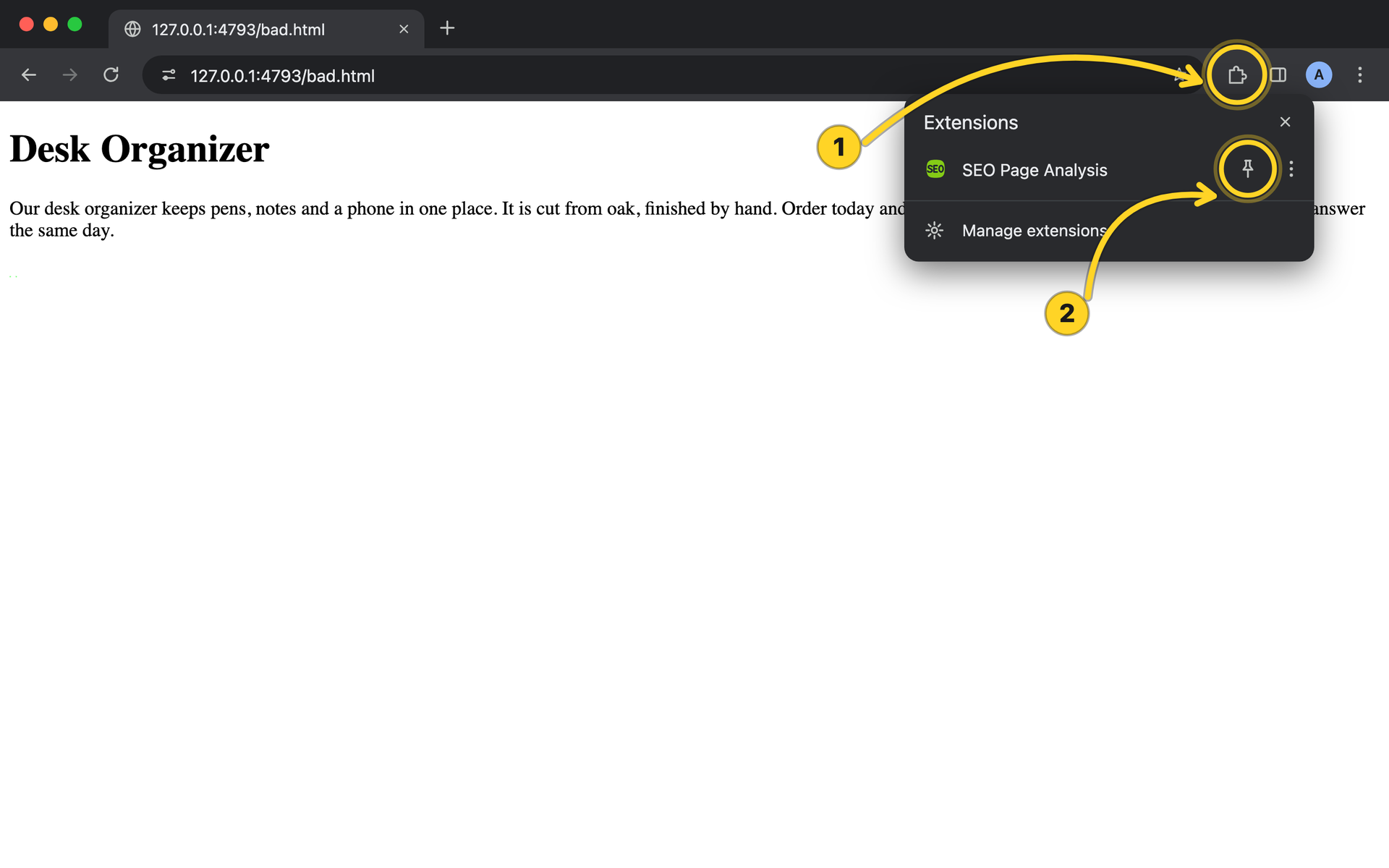
Click the puzzle piece on the Chrome toolbar.
Click the pin next to SEO Page Analysis.
-
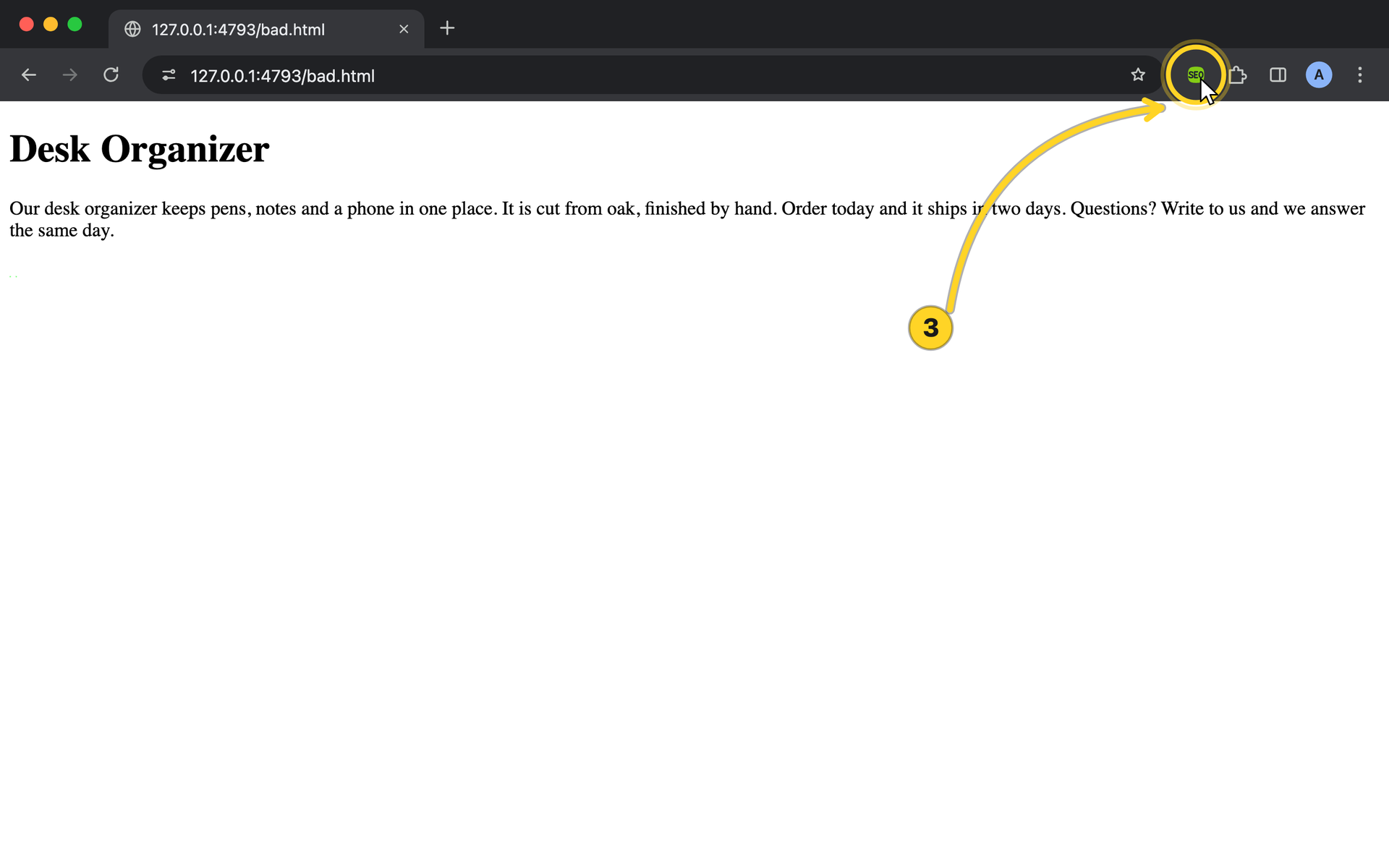
Now click the SEO Page Analysis icon to check the page.
🎉 You're all set. Check a page in 4 steps
-
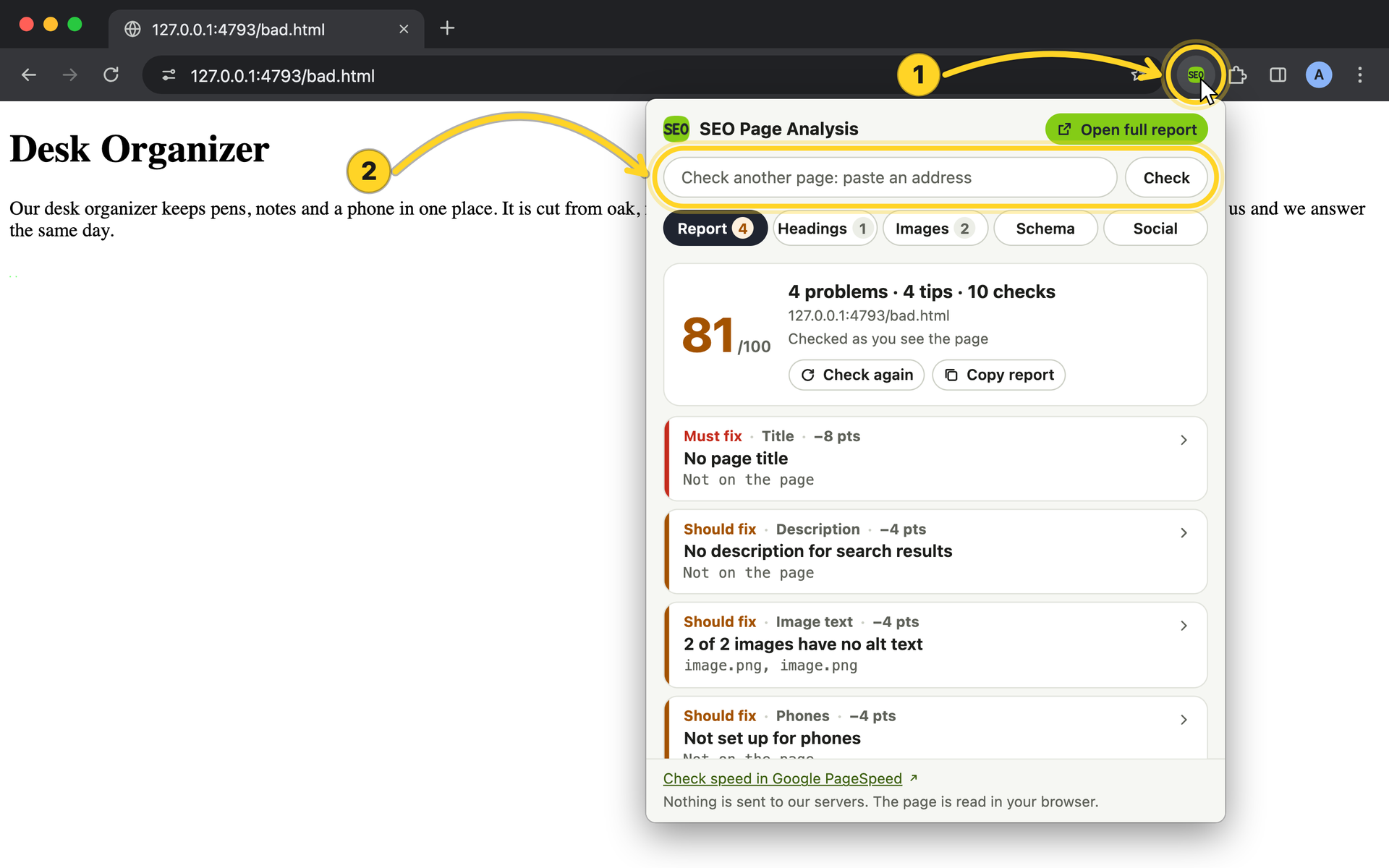
Open any site and click the SEO Page Analysis icon on your toolbar.
Or paste an address into the field and press Check.
-
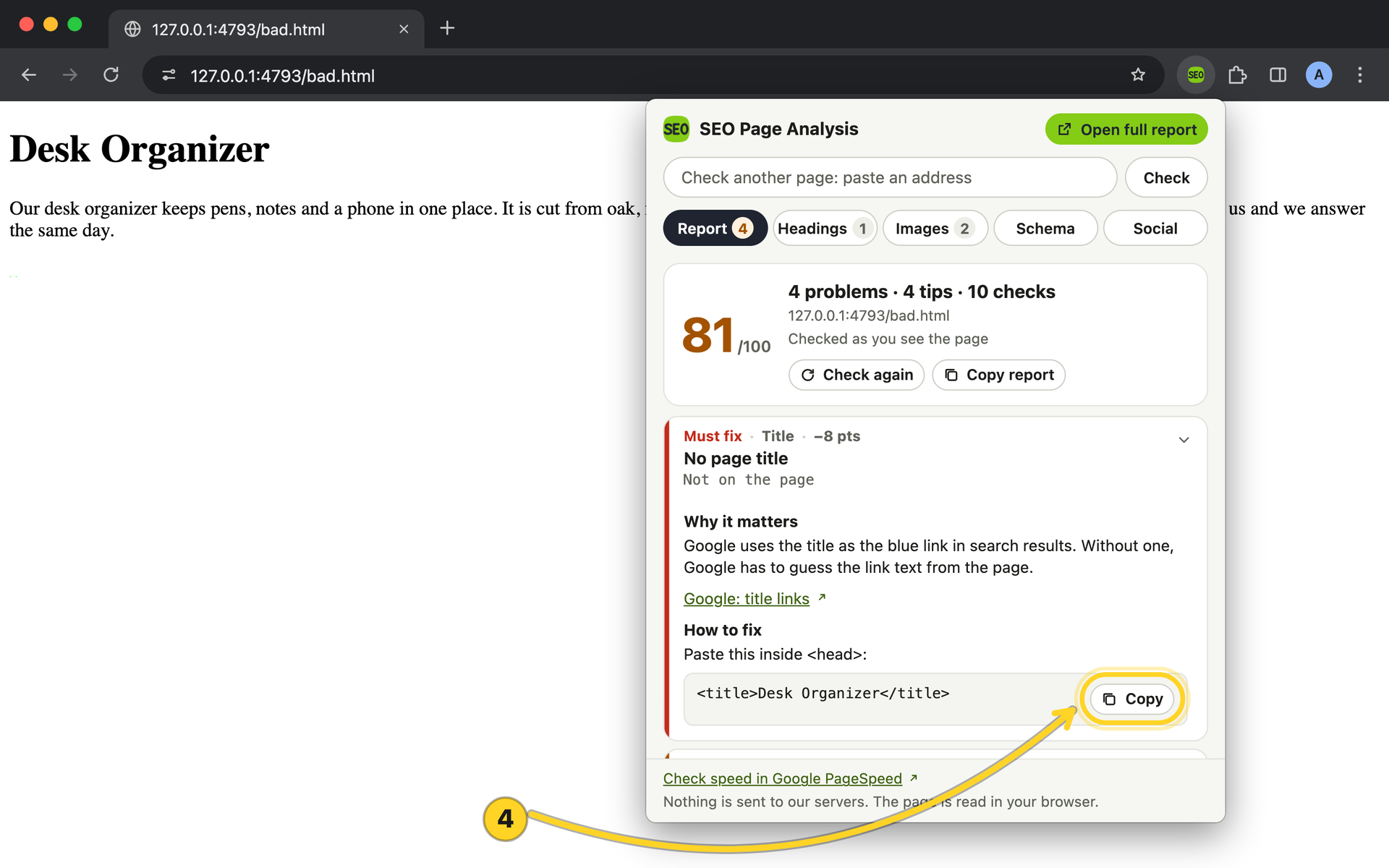
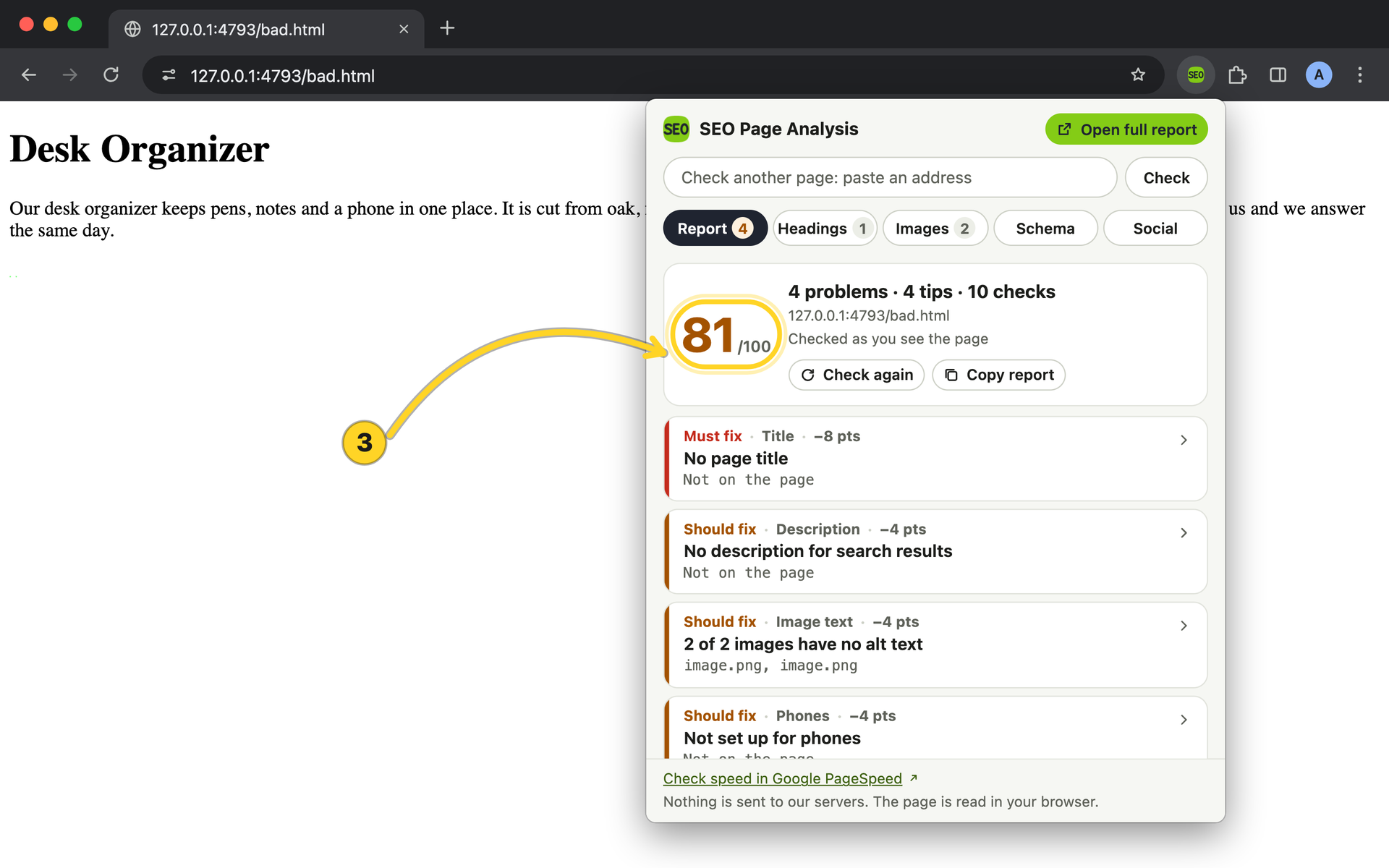
Read the score from 0 to 100 and the list of problems under it.
-
Open a problem card and click Copy to get the ready tag.